

Cisco Secure Connect - Unified Organization Change Log
Overview
The Organization > Monitor > Change log page of the Meraki dashboard includes data from integrated Cisco platforms. This consolidation of data provides a unified and enriched logging experience.
The Cisco Secure Connect Change log data includes the following information:
- Time: Time the change was made in Coordinated Universal Time (UTC).
- Admin: The username of the administrator who made the changes (Note: "Unknown User" indicates a system user/activity).
- Network: The dashboard network in which the change was made.
- SSID: This field will remain blank.
- Page: This field will remain blank for Secure Connect configuration changes.
- Label: The configuration section or option that was changed.
- Old value: The value of the option prior to the change.
- New value: The value of the option after the change.
For more information about the Cisco Meraki Change log page, refer to the Organization Change Log documentation.
Example
In this illustration, the Change log table has been refined using the "Secure Connect" filter to showcase the supplementary data sourced from integrated Cisco platforms.
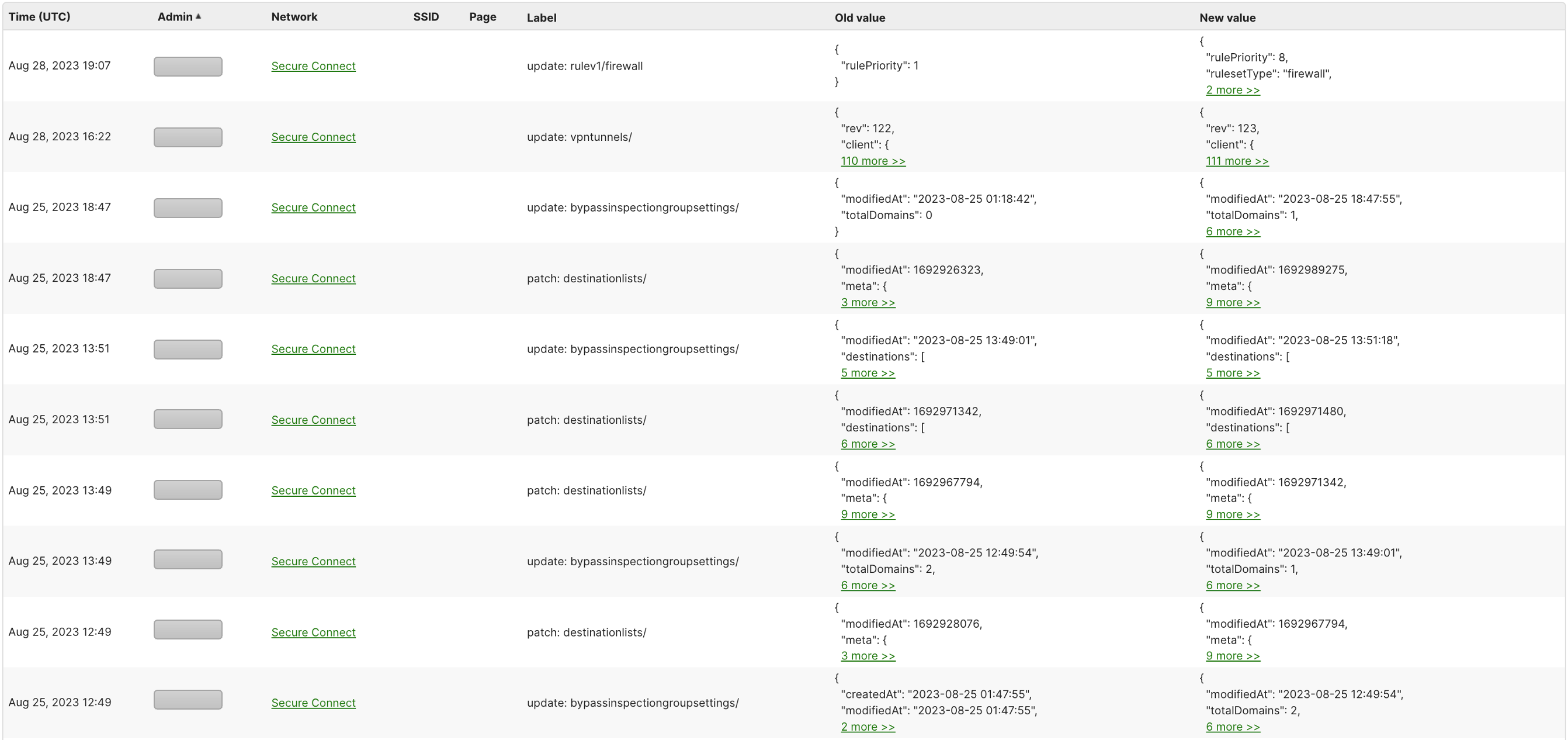
All changes to Secure Connect appear in the Meraki Organization change log. Logs take about 5min to sync from Umbrella to Meraki. Some changes are made via the integrated Umbrella cloud security, and these are attributed using one of two methods:
- Changes made by the API key - attributed to the user who created the API key.
- Changes made by the Admin user - attributed to the user who has logged into Meraki Dashboard.
All changes made directly on Umbrella pages are attributed to the user who is logged into the Umbrella dashboard.
Note: Umbrella maintains its own changelog, and the name reflected in each platform will match the user's name in that platform. Typically they will be the same due to Admin Sync, but can differ if the name is changed directly in the Umbrella platform.
- Meraki Changelog shows Meraki Name
- Umbrella Changelog shows Umbrella Name


Changes made to the following pages will be logged as follows:
| Page | Logging Method |
|
Applications |
User who created the API key |
|
Browser Access |
User who created the API key |
| Remote VPN Access | User who has logged into Meraki Dashboard |
|
Endpoint Posture |
User who has logged into Meraki Dashboard |
|
Cloud Firewall |
IPS: User who created the API key FW Rule: User who has logged into Meraki Dashboard |
|
API Keys |
User who created the API key |
| Admin Sync |
User Added: User who has logged into Meraki Dashboard User Synced: Management API |