Finding All Clients with Custom Device Policies
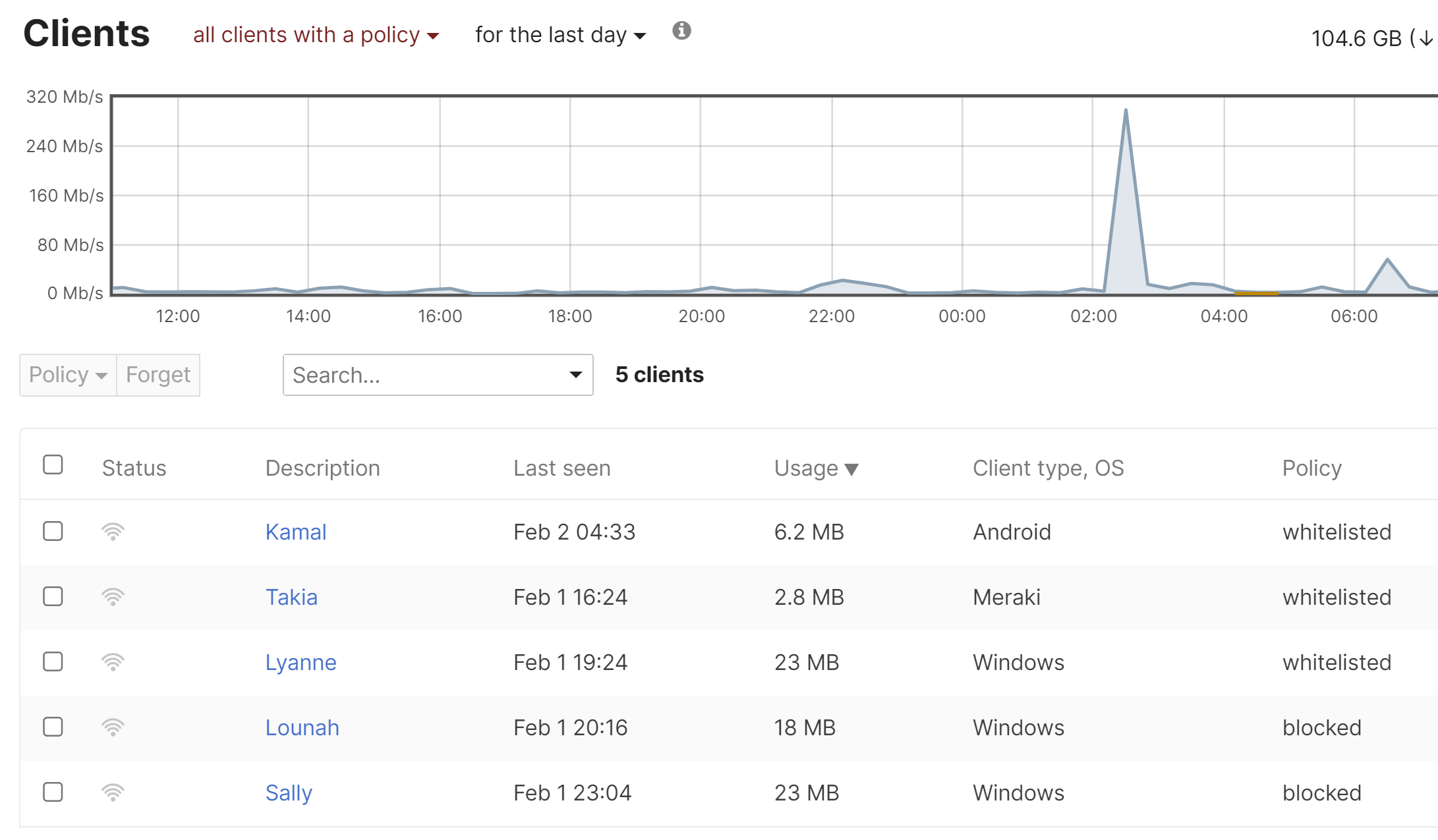
Many network administrators will apply custom device policies to network clients, either to block/allow list the device, or to create a custom group policy for a tailored network experience. As the network expands, it may be difficult to keep track of which devices have a custom policy, or a policy needs to be updated on an old client that doesn't appear in the clients list anymore.
The following instructions explain how to view and manage all clients with a custom network policy:
- In Dashboard, navigate to Network-wide > Monitor > Clients.
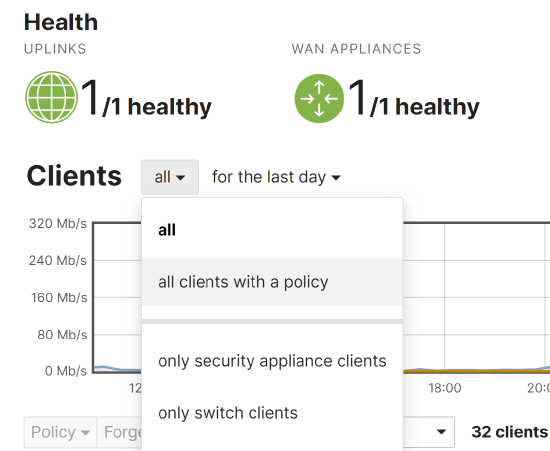
- Click the first dropdown and filter for all clients with a policy, as shown below:
- The resulting list will include all client devices that have ever had a device policy applied (including clients older than a month old, and manually-created clients that have never been seen on the network):