

Denying Inbound ICMP on the MX
Pinging the Internet interface of a network edge device is a convenient way to ensure public-facing services such as Client VPN are functioning properly. However, allowing ICMP from any source is not recommended because it exposes the MX WAN interface to unsolicited traffic from the Internet.
The MX Security Appliance responds to ICMP ping by default but can be configured to reply to specific IP addresses or none at all.
Configuration
1. Log on to your Dashboard and navigate to Configure > Firewall.
2. In the section labeled Appliance services, you will see the option ICMP Ping.
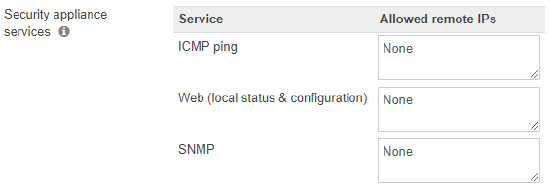
3. The text box for this option allows you to specify remote access rules for the local status page. The below options can be used:
a) Any - The MX will reply to all pings from external IP addresses. This is not a recommended setting since it opens your network to anyone on the Internet.
b) None - The MX will not reply to pings from any external IP addresses.
c) Allowed remote IPs - The remote IP address(s) written in CIDR notation you would like to give remote access to. A comma separated list of IP addresses can be entered if specifying multiple subnets.
The ICMP Ping setting applies to MX wired WAN uplinks and does not control ICMP behavior on cellular uplinks. To allow ICMP to a cellular uplink on MX firmware 26.x and later, create an Inbound Cellular Failover Rule that allows ICMP from the required source IPs. Before MX firmware 26.x, the default Inbound Cellular Failover Rule allowed inbound traffic. In MX firmware 26.x and later, the default rule denies inbound traffic.