

How to Configure Split DNS on an MX WAN Appliance
Overview
This article explains how to configure Split DNS on an CIsco Meraki MX WAN appliance. Some deployments require DNS queries for specific domains to be directed to specific DNS servers. This is often needed when a public-based DNS service, such as OpenDNS, handles most DNS queries, but internal resources or applications require local name resolution.
When Split DNS is configured on an MX, the MX snoops DNS traffic. The MX intercepts DNS queries that match the configured domains for Split DNS and redirects them to the configured DNS server. The MX transmits these redirected DNS requests to the configured server in accordance with its routing behavior.
The MX also intercepts the responses to these DNS queries and routes them back to the client that issued the original DNS request. The MX must see both the client's DNS requests and the server's response to properly redirect DNS requests to the configured DNS server and route the responses back to the client.
Split DNS and Local DNS service are not compatible. And, Split DNS is only configurable via API at this time.
Prerequisites
- MX firmware 19.1 or later
- API keys configured
- An understand of configuring APIs
Please read How to Use the Cisco Meraki Dashboard API KB if the API key needs to be configured or breakdown of how APIs work for Meraki endpoints.
Step-by-step instructions
Split DNS can only be configured via API. To configure split DNS, please complete the following steps:
Note: The API walkthrough below was created using Postman (API platform).
- Create a Split DNS profile using create organization appliance DNS split profile.

[1] The creation of the profile will need to be a POST as we are creating a configuration. In the field next to the post, The URL for the API call will need to be used. The URL can be found by going to the API call in question -> code snippet -> curl

[2] This is what you would like to name the profile. In the example, the profile name is "Test Profile"
[3] This section is where you include"The hostname patterns to match for redirection." In this example, we would like to redirect *.yahoo.com and *.cnn.com DNS requests to a different DNS server.
[4} Contains the name server information for redirection. this is an IPv4 address.
[5] When submitting the POST, this is the HTTP response. 201 is a successfully created POST. 40x Would indicate a failure/error with the submission
[6] This field contains the configurations that have been successfully created
-
Assign the Split DNS profile using create organization appliance DNS split profiles assignments bulk create.

[1] assigning the created profile will require a POST using the profile assignment API Call URL
[2] The network ID for the network that will be using the DNS split profile will need to be added. The network ID can be retrieved by using the following API GET:

[3] This is the field were the Split DNS profile ID (in numerical form) is configured. If you need to recall the Split DNS profile information you can use the following GET:
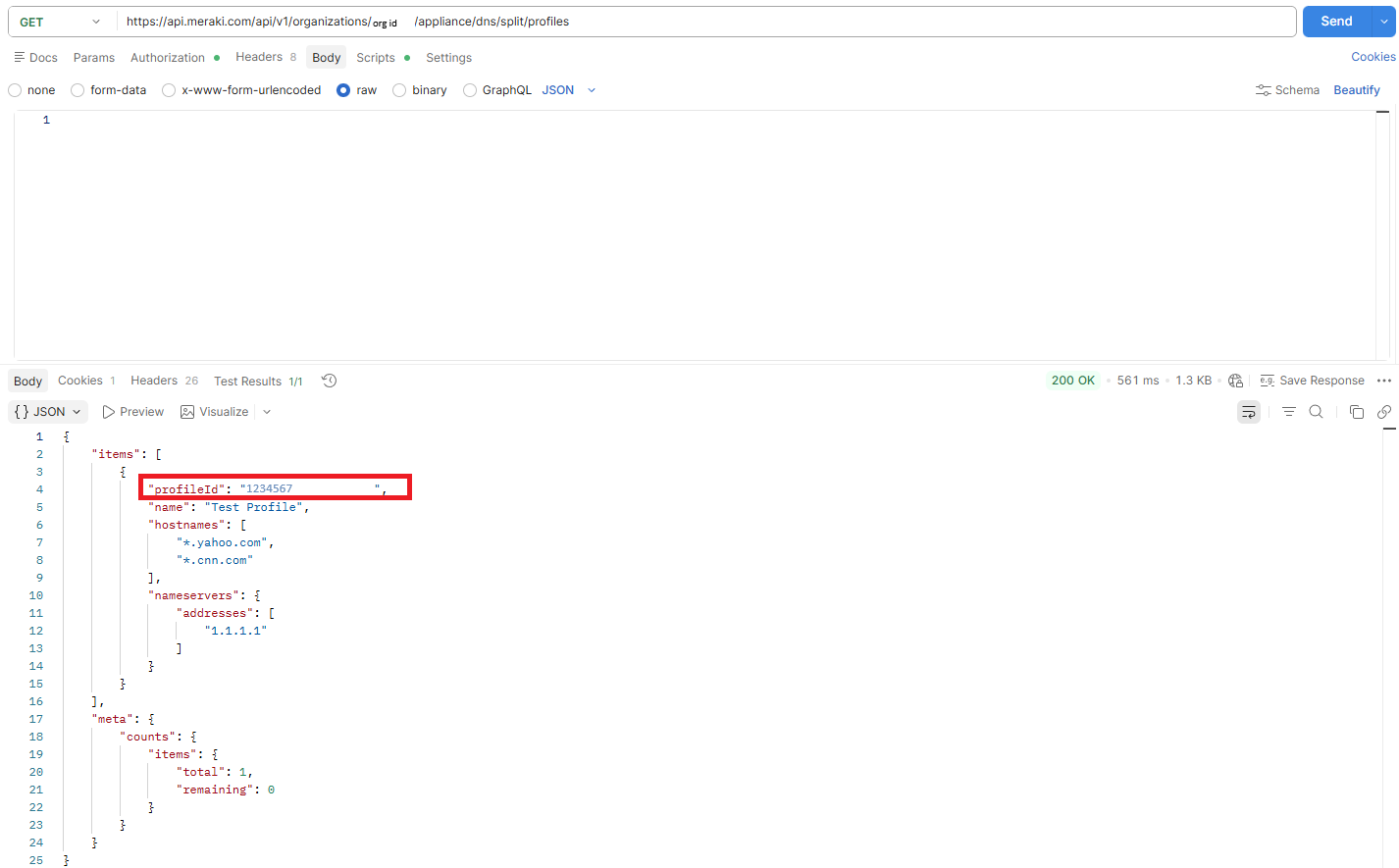
[4] HTTP response code. This is a 200 Ok since nothing was created. A profile was applied to a network.
[5] This is the body of the API POST showing the network and profile that applied
Troubleshooting
Split DNS has the following limitations:
-
Split DNS does not currently support redirection through CNAMEs. If a client queries the A record of FOO but learns of BAR (a canonical name for FOO), a subsequent A record query for BAR will not be redirected unless BAR is also configured as a Split DNS domain. The MX will not recognize or treat BAR as an alias for FOO.
-
Split DNS supports redirecting DNS requests to only one DNS server.
The MX must see the DNS request and the response from the configured DNS server for redirection to work properly.
The DNS encryption feature of the OpenDNS software client prevents the MX from performing the DNS inspection this feature requires.