Launch Workflows
Launch Workflows from the Meraki Dashboard
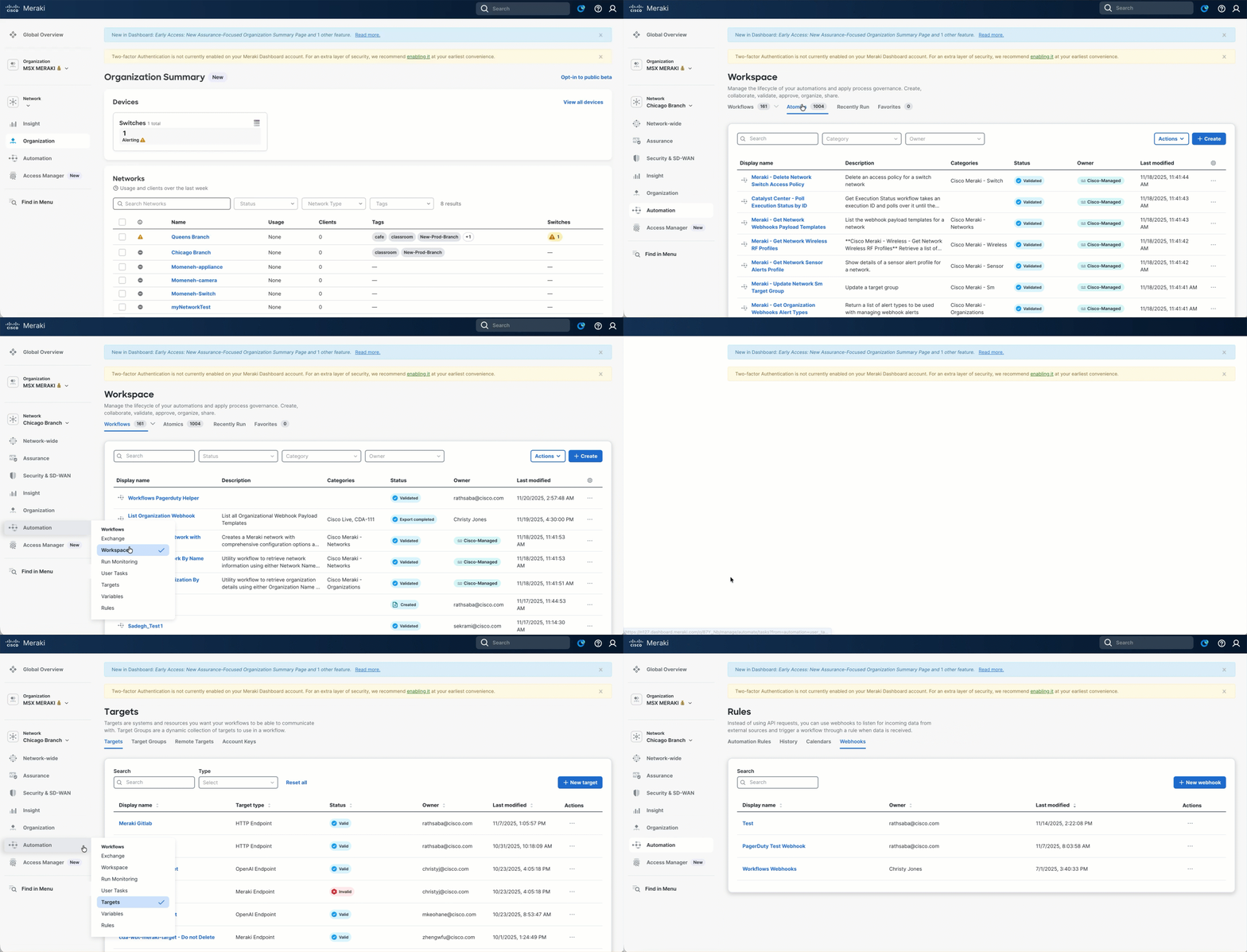
The Automation menu in the Meraki dashboard uses Cisco Workflows to help users automate and streamline tasks across the Cisco portfolio and third-party systems. Workflows enable users to automate a wide range of tasks, such as data transformation, system integration, and conditional actions, by combining activities in a visual editor.
Workflows can be accessed without any license and you do not need to be a Meraki customer to benefit from the value of Workflows. To learn more about how to begin using workflows, see the Getting Started section.
- Automation > Workspace : Create, design, and manage your workflows with a visual editor, customizing activities and logic to fit your organization’s needs. See Workspace Overview for details on available functionalities on the Workspace, and Workflow Editor for information on workflow building blocks.
- Automation > Exchange: Discover, import, and share pre-built workflows from the Exchange library to accelerate automation and leverage best practices from the community. For more information, see Exchange.
- Automation > Run Monitoring: Monitor the status and history of workflow and atomic executions. For more information, see Run Monitoring.
- Automation > User Tasks: View and manage pending user tasks generated by workflows, such as prompts for input or actions that require approval. For more information, see Tasks.
- Automation > Targets: Configure and manage connections to various systems or endpoints, including Cisco platforms and third-party services, which your workflows can interact with. For more information, see Targets.
- Automation > Variables: Define and manage variables to store and pass data within and between workflows, enabling dynamic and flexible automation. For more information, see Variables.
- Automation > Rules: Set up automation rules to trigger workflows based on specific events or conditions. For more information, see Rules.